

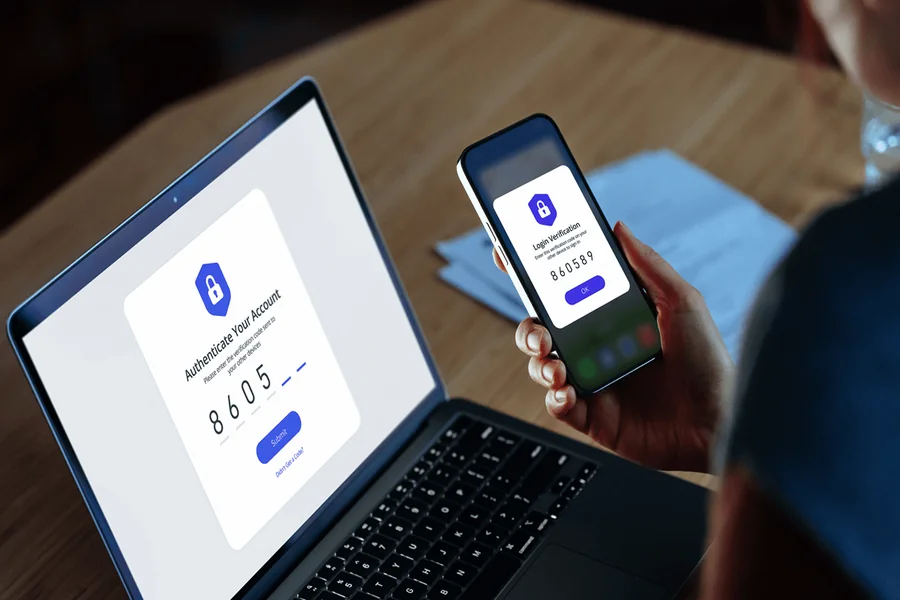
Creating an exchange account takes only a few minutes when everything works. Fixing an account created through a fake link, with incorrect personal details, or without a recovery plan can take much longer.
A new user often focuses on the registration form. The more important work happens around it. The user must confirm that the service is available in their location, open the correct website, submit accurate information, protect the login, and understand what will happen before any money enters the account.
Consider a common mistake. A person follows a sponsored link from a social media post, creates an account, and receives a message from a supposed account manager. The manager asks for a verification code to “finish activation.” The code actually approves a login from another device. The registration succeeded, but the account was exposed before the user made the first deposit.
Safe registration should prevent this type of problem. It should also reduce avoidable verification delays and make account recovery possible if the phone is lost. The goal is not simply to reach the dashboard. The goal is to create an account that the owner can control and verify independently.
Check Access, Eligibility, and the Website Before You Register
Start by checking whether the platform offers the required services in your country or region. Availability can differ by location, and the products visible to one user may not be available to another. Do not assume that a tutorial recorded elsewhere describes the exact options you will see.
Use the platform’s official pages to review current terms, eligibility rules, identity requirements, and regional restrictions. A social media comment, private message, or old video is not a reliable source for current access. If a service is unavailable, do not change location details or use another person’s identity to bypass the restriction. Incorrect information can cause verification failure and later limit account recovery.
Age requirements also matter. The account must be created by a person who meets the platform’s eligibility rules. A younger user should not submit a parent’s document while keeping control of the account. That creates a mismatch between the verified person and the person operating it.
Next, inspect the website address. Fake registration pages often copy the colors, logo, layout, and wording of a real exchange. The difference may be one letter, an added word, or an unfamiliar domain ending. A padlock icon shows that the browser connection is encrypted. It does not prove that the site belongs to the company named on the page.
Do not treat the first advertisement in a search result as automatic proof. Type the known domain carefully, use a trusted bookmark, or reach the page through an official app-store listing. Avoid shortened links when you cannot inspect their destination.
Be cautious if someone sends an installation file directly through a chat. A genuine-looking APK can steal login details, read messages, or replace wallet addresses copied to the clipboard. Install mobile software only through the official source provided for your device and region.
Prepare the contact details that will belong to the account. Use an email address and phone number that you control for the long term. A temporary mailbox, work address that may be closed, or phone number belonging to another person can create a serious recovery problem later.
The email account needs its own protection. Give it a unique password and enable its available security features before connecting it to a financial account. If an attacker controls the email inbox, the exchange password alone may not protect the account.
Create a new password for the exchange. Do not reuse one from gaming, shopping, social media, or another financial service. A password exposed by an unrelated data breach can be tested automatically against other accounts.
A password manager can generate and store a long, unique password. If you use one, protect the manager with a strong master password and a recovery method you understand. Do not save passwords in a shared note, an unprotected screenshot, or a chat with yourself.
Before entering personal data, also review the referral information shown on the page. A referral code may be attached to a link, but any benefit depends on the current promotion, user eligibility, and terms. Do not calculate future costs or rewards from a social media promise alone. Read the details displayed by the platform before completing registration.
These checks may feel separate from signup, but they prevent the most damaging errors. A form can be filled again. Personal details submitted to a fake site and security codes shared with a stranger are harder to take back.
Create the Account and Complete Verification Without Avoidable Delays
Open the verified registration page and enter your own email address or mobile number. The platform may send a one-time code to confirm that you control it. Enter that code only on the official page you opened yourself.
If another person asks you to forward the code, stop. A support agent, recruiter, trader, or online acquaintance does not need your one-time code to create an account for you. The code may authorize registration, a new login, a password reset, or another sensitive action.
Users who choose the Daftar Binance (Sign up for Binance) page should still confirm the domain, referral details, regional access, and current terms directly on the official screen before continuing. A referral link does not remove the need for the same security checks applied to any other financial platform.
After confirming the contact method, create the password and review every consent shown before accepting it. Do not race through the screens because a video or contact is waiting. If a condition is unclear, pause and read the related help page.
Identity verification links the account to a real person and may be required before certain services become available. The exact process can vary, but it commonly asks for personal information, an accepted identity document, and a live face check or photo.
Enter names and dates exactly as they appear on the document. A nickname, missing middle name, transposed date, or outdated address can trigger a mismatch. Autocomplete can also insert old data, so review each field before submission.
Use an original, valid document accepted by the platform. Do not edit an image, cover information, sharpen text with aggressive filters, or submit a screenshot when the process asks for a photograph. Altered images can hide security features and cause rejection.
Prepare the document before starting. Clean the camera lens, use even light, and place the document on a plain surface. Make sure all corners remain inside the frame. Avoid glare across the photo, document number, or expiry date.
The image must be readable, but a larger file is not always better. Follow the file type and size instructions shown in the form. If the app captures the document directly, keep the phone steady and wait for focus before taking the image.
A face check should be completed by the account owner. Remove items that block the face if the instructions require it and follow the prompts yourself. Do not allow a remote helper to control the phone during this step.
If verification fails, read the stated reason before submitting the same file again. Repeated attempts with an unreadable document do not solve the cause and may slow the process. Check whether the document type, expiry date, image quality, and personal details meet the displayed requirements.
Contact support through the official website or app if the reason remains unclear. Send only the information requested through the authenticated support channel. Never give a private helper your password, email access, full payment-card details, seed phrase, or two-factor authentication code.
Be especially careful with paid “verification services.” A stranger who offers a verified account may be selling an account created with stolen or borrowed identity data. The original verified person may later recover it, and the buyer may lose both access and funds.
Do not create an account for someone else in exchange for money. Activity performed through an account linked to your identity may be attributed to you. If another person cannot meet the platform’s eligibility or verification requirements, your documents are not a legitimate solution.
Once verification is complete, check the profile data and security page. Confirm that the email address, phone number, and recognized devices belong to you. Remove any device or session you do not recognize before considering the account ready.
Secure the Account Before the First Deposit
Registration is not finished when the dashboard opens. Before adding money, configure the security controls that will protect access and withdrawals.
Enable a strong form of two-factor authentication offered by the platform. An authenticator app or supported security key can reduce dependence on text messages. If several options are available, read how each one works and choose a setup you can recover without giving another person access.
Store recovery codes offline in a secure location. Do not keep the only copy on the same phone used for authentication. If that phone is lost or damaged, both the login and recovery information could disappear at the same time.
Review active sessions and trusted devices. Sign out devices you do not recognize. If the account shows a login from an unexpected location, change the password from a clean device and contact official support.
Turn on an anti-phishing code if the platform provides one. This feature can place a user-selected code inside genuine emails from the service. It is an extra check, not absolute proof, because users must still examine the sender address and avoid unexpected links.
Create a habit for opening the account. Use a saved bookmark or the official app rather than links from emails, advertisements, messaging groups, or search comments. A convincing message about a frozen account or urgent security update can direct the user to a copied login page.
No support representative needs your password or two-factor authentication code. They also do not need a wallet seed phrase or private key. Those secrets provide control, not proof of identity.
Be careful with screen sharing and remote-access software. A person who controls the screen may change a withdrawal address, approve a transaction, read recovery codes, or watch the user enter a password. Official support can explain steps without taking control of the device.
Review withdrawal security. If the platform offers an address allowlist, understand how it works before enabling it. An allowlist can restrict withdrawals to saved addresses, but the user must protect the process used to add or change those addresses.
Check notification settings. Login, password, security-setting, and withdrawal alerts should reach an email address or phone that you monitor. Treat an alert you did not trigger as an incident, not as an advertisement to ignore.
Secure the device itself. Install operating-system updates, use a screen lock, and remove unknown browser extensions. An extension that can read and change website data may interfere with login pages or copied addresses.
Do not store account screenshots that expose personal data, balances, QR codes, or recovery information in a public gallery or shared cloud folder. Screenshots are easy to forward and may reveal more than expected.
Before depositing, test the recovery path in your mind. Do you still control the email and phone number? Can you access the authenticator backup? Do you know where to find official support without opening an email link? If the answer to any question is no, fix it first.
Account security works best when each layer is independent. A unique exchange password does not help if the email password is shared. Two-factor authentication does not help if the user gives the code to a caller. Alerts do not help if they go to an abandoned inbox.
The first deposit should happen only after these layers are active and understood.
Check Costs, Deposits, and Recovery Before You Trade
An account can be secure and still be unsuitable for the user’s goal. Before transferring money, review which services are available, how funds can enter and leave, and what each step can cost.
Start with the full route. Money may move from a bank or card into the account, convert into another currency or asset, pass through a trade, and later return through a withdrawal. Each stage can have a separate fee, spread, minimum amount, or processing time.
A screen that says “zero fee” may describe only one stage. The conversion rate can include a spread, the card issuer can charge for a foreign-currency transaction, or the withdrawal can have a fixed cost. Compare the amount sent with the amount that will arrive instead of relying on the percentage highlighted in an advertisement.
Check deposit instructions immediately before sending. Match the asset, network, address, and any required memo or destination tag. A familiar token name can exist on several networks. The network selected by the sender must be supported by the receiving account.
A small test transfer can reduce the impact of an address or network error. The test must remain above the published minimum deposit after fees. Wait until it appears in the account before sending the main amount.
Save the transaction ID and the deposit details. If the blockchain confirms a transfer but the account does not credit it, support will need the transaction ID, network, amount, destination address, time, and memo or tag if one was used.
Do not send a second transfer because a stranger says it will “unlock” the first. A delayed deposit can result from pending confirmations, maintenance, an unsupported network, a missing memo, or an amount below the minimum. Each cause needs a different response.
Understand the difference between account registration and investment results. Creating an account does not create a profit. Asset prices can rise or fall, and losses can happen quickly. Referral benefits, signup rewards, or temporary fee reductions do not remove market risk.
Set a limit before the first transaction. Use only funds assigned to the activity, not rent, bills, emergency savings, borrowed money, or money promised to someone else. A limit decided before a price move is easier to follow than one invented during excitement.
Ignore anyone who guarantees returns, requests access to the account, or offers to trade on the user’s behalf through remote control. A visible balance in an app can be faked. A real result is the amount the account owner can control and withdraw under published rules.
Review the account-recovery process before it is needed. Know how to report a lost phone, compromised email, or unauthorized login. Keep official support links in a secure place. Recovery becomes harder when the user is stressed and searching through messages from unknown helpers.
If a suspicious login or message appears, stop deposits and withdrawals until access is secure. Change exposed passwords from a clean device, end unknown sessions, reset affected security methods, and contact official support. Preserve relevant emails, transaction records, and screenshots without sharing secret credentials.
A safe registration ends with a simple result: the account uses accurate personal information, the owner controls every recovery method, security features are active, costs are understood, and the first transfer follows verified instructions.
The registration form is only the visible beginning. The decisions around it determine whether the account remains usable and secure after the first login.